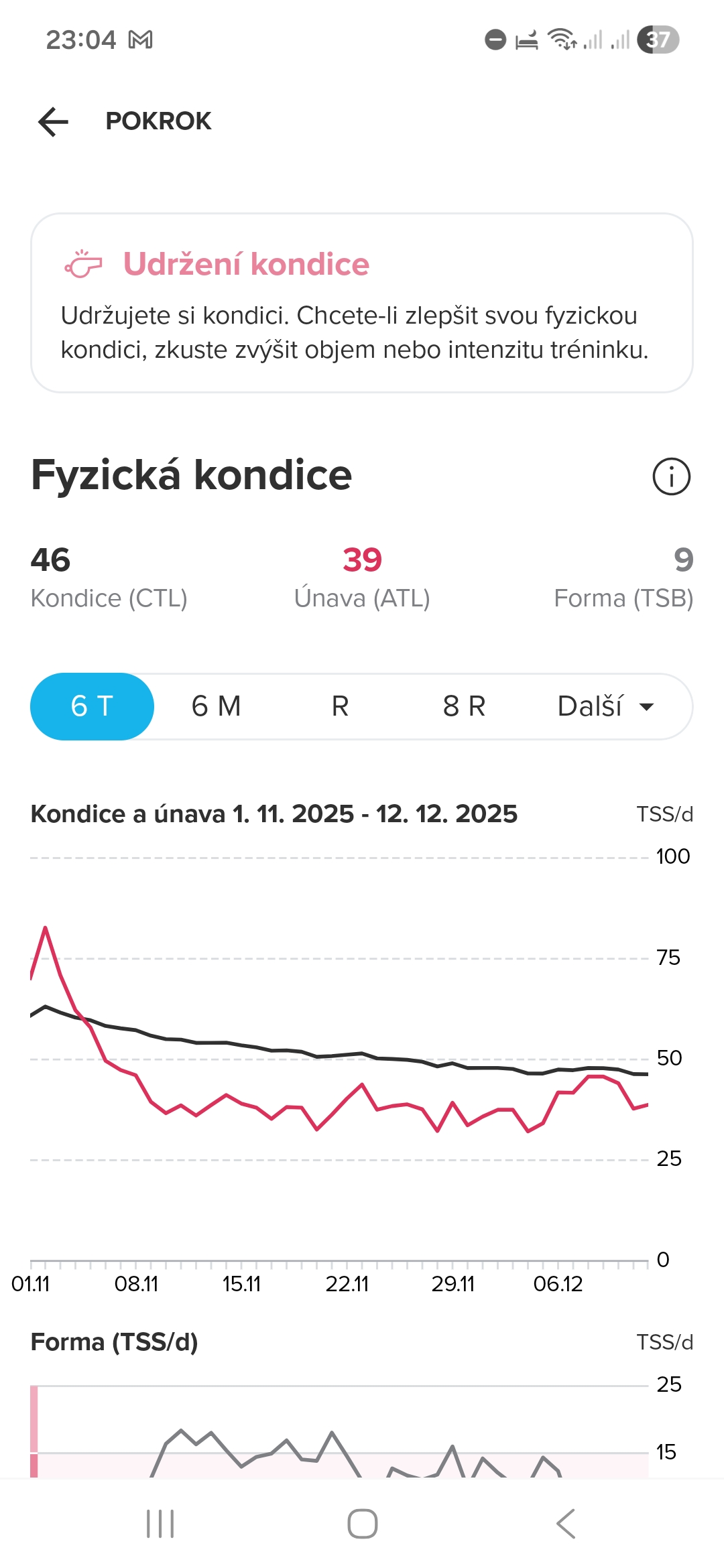
• Widgets meanings

    Suunto Race 2 race 2 widget training peaks
    3
    5
    0 Votes
    3 Posts
    122 Views
    DropQbD
    @Squirrel Thanks a lot! Now it makes sense. I am new to TrainingPeaks and I tried to study how the CLT, ATL and TSB are calculated and I though that I understand it but then different text description of values in the app and watch totally confused me. Also in the watch manual there is no deep description of widgets, there are just few general sentenses without needed details. I think that this would be an easy fix which helps people to start with training peaks. Also lots of people complains than Suunto watches are often inconsistent with the app and this would help at least a bit with this issue…
  • 0 Votes
    5 Posts
    563 Views
    herlasH
    It’d be great to be able to customize structured workout screens, having said that, in my opinion TP has the best layout of out them all. Highlight, it shows Int. Avg vs target at the top and my favorite remaining distancie or time in current step at the bottom, where you can easily spot while surviving the workout [image: 1746063635753-20240403_095309.jpg]
  • Schedule training sessions

    Locked Suunto 9 training peaks training program sessions
    2
    5 Votes
    2 Posts
    522 Views
    Brad_OlwinB
    @aalfaro5 I am locking this, try to search first and vote! https://forum.suunto.com/topic/164/planning-moves